Suppose you are given a datetime and want to emulate the FLOOR function on it eg: find first day of year, first day of month etc, you can use the following code
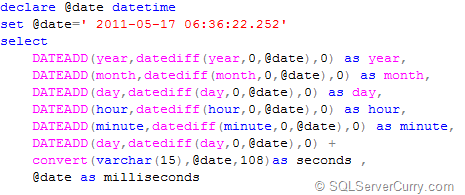 declare @date datetime
set @date=' 2011-05-17 06:36:22.252'
select
DATEADD(year,datediff(year,0,@date),0) as year,
DATEADD(month,datediff(month,0,@date),0) as month,
DATEADD(day,datediff(day,0,@date),0) as day,
DATEADD(hour,datediff(hour,0,@date),0) as hour,
DATEADD(minute,datediff(minute,0,@date),0) as minute,
DATEADD(day,datediff(day,0,@date),0) +convert(varchar(15),@date,108)as seconds ,
@date as milliseconds
In the above code, datediff finds the difference in terms of parameter (year, month, etc)
and it is added to the base date 0, which omits the month, day,time part etc.
OUTPUT

(contd…)

About The Author
Madhivanan,an MSc computer Science graduate from Chennai-India, works as a works as a Lead Subject Matter Expert at a company that simplifies BIG data. He started his career as a developer working with Visual Basic 6.0, SQL Server 2000 and Crystal Report 8. As years went by, he started working more on writing queries in SQL Server. He now has good level of knowledge in SQLServer, Oracle, MySQL and PostgreSQL as well. He is also one of the leading posters at www.sqlteam.com and a moderator at www.sql-server-performance.com. His T-sql blog is at http://beyondrelational.com/blogs/madhivanan


No comments:
Post a Comment