Most Popular SQL Server Articles in 2011

With 2012 fast approaching and 2011 drawing to an end, we've put together our list of the Most Popular SQL Server articles on SQLServerCurry.com this year.

I would like to thank each one of you who has visited my blog or contributed to it by submitting a Guest post, Subscribing to RSS Feed, by joining me on Twitter, retweeting posts or promoting the articles and giving regular feedbacks via rating, comments or Emails. A special note of thanks to Madhivannan and Pravin Kumar for their contributions.

Here are some articles that were liked the most by readers like you. Have a very Happy New Year 2012!

SQL Server Administration Articles


T-SQL Articles

Assign Result of Dynamic SQL to a Variable in SQL Server

Suppose you have dynamic sql that returns a single value and you want to copy it to a variable. For eg: you want the total count of the table copied to a variable. This is possible in SQL Server using the following methods:

Method 1 : Use sp_executesql system stored procedure

declare @counting int
execute sp_executesql
          N'select @count=count(*) from sys.objects',
          N'@count int output',
          @count =@counting output;
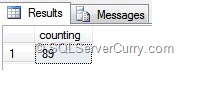
select @counting as counting


In the above method, count is assigned to the variable @count which outputs to @counting

Method 2 : Use table variable

declare @t table(counting int)
declare @counting int
insert into @t
exec('select count(*) from sys.objects')
select @counting=counting from @t
select @counting as counting


The above t-sql code copiesthe  resultset to table variable @t and the count is copied to variable @counting

OUTPUT

dynamic-sql-variable

Why is RAID So Important for Databases?

A good server design has no, or very few, single points of failure. One of the most common server component that fails, are disks. So data redundancy becomes essential to recoverability. Redundant Array of Independent/Inexpensive Disks (RAID) is a disk system that provides better fault-tolerance by making use of redundancy of disk(s).

Read the entire updated article here

Deleting Leading Zeros in a String (SQL)

A common issue while importing data from different source into SQL Server is often numbers get prefixed with zeroes. If you want to delete these leading zeroes in a string, you can use the following methods:

Method 1 : CAST to Bigint

declare @s varchar(100)
set @s ='0000004007340007402100'
select cast(@s as bigint)


CASTing the string to Bigint will automatically delete the leading zeroes

sql-delete-zeroes

Method 2 : Use Replace function

declare @s varchar(100)
set @s ='0000004007340007402100'
select replace(ltrim(replace(@s,'0',' ')),' ','0')


The T-SQL code shown above first replaces all zeroes to a single space. The LTRIM function deletes all leading spaces and the second replace function, replaces all spaces to zeroes, so that all leading zeroes are deleted.

OUTPUT

sql-delete-zeroes

Find Last Run Query in SQL Server

Have you ever wondered what SQL query was last executed by your users across all SQL Server databases on your server? I have seen some solutions on the internet that use the sysprocesses view to retrieve this information. In this post, I will show you how this information can be retrieved better using Dynamic Management Views.

Please use this query:

SELECT conn.session_id, sson.host_name, sson.login_name, 
 sqltxt.text, sson.login_time,  sson.status
FROM sys.dm_exec_connections conn
INNER JOIN sys.dm_exec_sessions sson 
ON conn.session_id = sson.session_id
CROSS APPLY sys.dm_exec_sql_text(most_recent_sql_handle) AS sqltxt
ORDER BY conn.session_id

Here I have utilized the sys.dm_exec_connections Dynamic Management View, in conjunction with the sys.dm_exec_sessions DMV and sys.dm_exec_sql_text Dynamic Management Function (DMF) to return the last query executed against all SQL Server databases, in that server.

Here’s a quick overview of what these DMV’s and DMF do
sys.dm_exec_connections - Returns information about the connections established to this instance of SQL Server and the details of each connection

sys.dm_exec_sessions - Returns one row per authenticated session on SQL Server. sys.dm_exec_sessions is a server-scope view that shows information about all active user connections and internal tasks. This information includes client version, client program name, client login time, login user, current session setting, and more

sys.dm_exec_sql_text - Returns the text of the SQL batch that is identified by the specified sql_handle

In the last statement, we are passing the value contained in the most_recent_sql_handle column of this DMV to the sys.dm_exec_sql_text DMF.  The DMF returns the text of the sql query, whose sql_handle we passed to it.  This sql_handle that we passed, uniquely identifies the query.

Here’s the output

sql-last-run-query

SQL Server Download Links All Editions

With SQL Server 2012 RC0 recently announced and a plethora of previous editions already available, it can get tedious to keep track of all these downloads. In this post, I will attempt to share the download links of all SQL Server versions - SQL Server 2012, SQL Server 2008 & R2 and SQL Server 2005. I will update this post and the links as and when applicable.

SQL Server 2012 Download Links

Microsoft SQL Server 2012 RC0 enables a cloud-ready information platform.


SQL Server 2008 R2 Download Links

SQL Server 2008 R2 VHD

SQL Server 2008 Download Links


SQL Server 2005 Download Links

SQL Server 2005 Evaluation is no longer available. You can use the Express Edition


Other SQL Server Download Links

SQL Server Migration Assistant for Oracle v5.1
SQL Server Driver 2.0 for PHP 5

Any important links that I missed out? Share it in the comments section and I will update the post!

SQL Server: Test Linked Server Connection

If you want to have access to data stored in a different server, one of the ways to do so is to make that server as a Linked Server to the current server and then query using the linked server name. Let us assume that there is a server named test available over the network and you want to get some data from there. System stored procedure sp_addlinkedserver can be used to create a linked server and fire distributed queries.

The following code adds the server test as Linked server to the current server

EXEC sp_addlinkedserver test

If you want to know if the connection to the linked server is accessible, you can make use of system stored procedure sp_testlinkedserver as shown below

EXEC sp_testlinkedserver test

It simply checks if the connection is successful. If the result is "Command(s) completed successfully.", it means the connection is successful. This is the simplest way to check if the linked server is accessible

linked-server

Also check Viewing Linked Server Information in SQL Server 2005/2008

Generate AlphaNumeric Identity Column in SQL Server

Let us suppose you have a requirement where you want to have an alphanumeric identity column that has characters and numbers and you want these numbers to be incremental. Eg: Customer ids like cus0000001, cus0000002, etc. You can use any of the following methods

Method 1 : Store alphanumeric data in column

declare @t table(id char(10), names varchar(100))
insert into @t
select 'cus0000001','ramesh' union all
select 'cus0000002','suresh'


declare @id int
select @id=MAX(substring(id,4,len(id)))*1 from @t


insert into @t
select 'cus'+RIGHT(REPLICATE('0',7)+cast(@id+1 as varchar(7)),7),'nilesh'
select * from @t


In the above code, @id is assigned the maximum value of the number excluding characters "cus", which is used again in the INSERT statement

alphanumeric-sql


Method 2 : Use only identity column of int datatype and append alphabets in select statement

declare @t table(id int identity(1,1), names varchar(100))
insert into @t (names)
select 'ramesh' union all
select 'suresh' union all
select 'nilesh'


select 'cus'+right(replicate('0',7)+cast(id as varchar(7)),7) as id,names from @t

In the above code, an alphanumeric string is built dynamically in the select statement

alphanumeric-sql

SQL Server: Find Common Rows in Tables using INTERSECT

Suppose you have a SQL Server database with tables having similar structures and you want to find out similar rows among these tables. The most common method is to use a JOIN on all the columns.

Consider the following tables

create table #t1 (id int, names varchar(100))
create table #t2 (id int, names varchar(100))
create table #t3 (id int, names varchar(100))


insert into #t1
select 1,'test1' union all
select 2,'test2'

insert into #t2
select 1,'test1' union all
select 3,'test2'

insert into #t3
select 1,'test1' union all
select 20,'test2'


select t1.* from #t1 as t1
inner join #t2 as t2 on t1.id=t2.id
inner join #t3 as t3 on t1.id=t3.id


OUTPUT

The above select statement joins all these three tables by all columns to get similar rows among these tables. Then these similar rows in all three tables are displayed.

image

The problem with this approach is that if the table has many columns, you will need to specify all the columns in the join statement, which will make maintaining these queries a nightmare.

Another easy method to find common rows without actually specifying any columns is to use the INTERSECT Operator

sql-server-intersect

OUTPUT
Sql Server Intersect

SQL Server: Handling Multiple Result sets in a Procedure

Suppose you have a SQL Server stored procedure that returns multiple result sets and you want to store all these results into another table. I will show you how to do so. Consider the following stored procedure

create procedure test
as
select 1 as id, 'test1' as name
select 2 as id, 'test2' as name


When you execute this procedure, it returns two result sets. The following code will copy these two result sets in a table variable

declare @t table(id int, names varchar(100))
insert into @t
exec test

select * from @t

sql-proc-multiple


Note: In order to copy multiple result sets from a stored procedure, both result sets should have the same number of columns and datatype which are compatible with the target table. If not, an error message will be thrown for invalid number of columns/data type